For many individuals with sensory processing sensitivities, the environment doesn’t stop at the edge of the gaming monitor. Whether you’re working in a library, a quiet cafe, or a shared home office, the sharp “snap” of a standard mouse can be a constant auditory irritant.
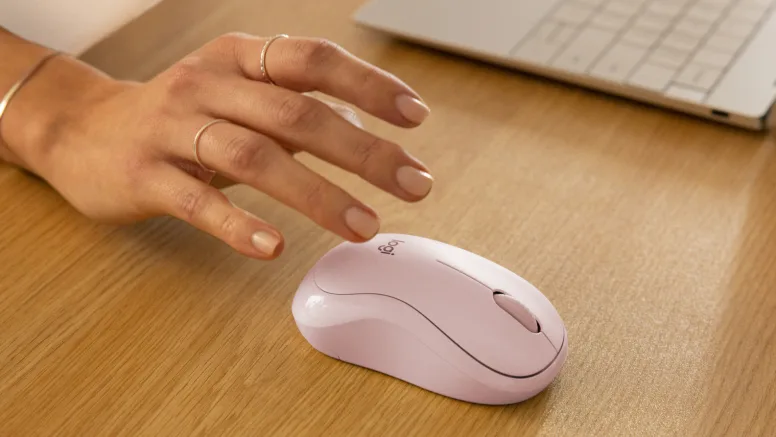
The Logitech M240 Silent is designed specifically for these low-impact environments, prioritizing auditory “neutrality” in a compact, portable form factor.
Why the M240 Fits a Sensory-Friendly Lifestyle
While high-end gaming mice focus on “macro” buttons and rapid-fire response, the M240 focuses on SilentTouch Technology. This proprietary design reduces clicking sounds by over 90% compared to standard mice like the Logitech M185.
For someone with sound triggers, this takes a click from a sharp, distracting peak (around 58 dB) down to a soft, muffled whisper (around 42 dB).
Pros:
- Acoustic Insulation: Uses internal polymer dampers to absorb vibration, removing the high-frequency “ping” found in budget hardware.
- Tactile Consistency: Despite being quiet, it retains a soft tactile “bump,” providing physical feedback without the auditory tax.
- Bluetooth Simplicity: Eliminates the need for a USB dongle, reducing visual clutter and the “buzzing” or interference sounds sometimes associated with 2.4GHz receivers.
- Ultra-Lightweight: At just 73g, it requires very little physical effort to move, which is a plus for those who experience motor-based sensory fatigue.
Cons:
- Simple Feature Set: With only three buttons, it isn’t ideal for heavy gaming or complex video editing that requires many shortcuts.
- Compact Size: It is a “travel-sized” mouse. Those with larger hands or those who prefer a full-palm “resting” grip may find it causes hand cramping over long sessions.
- No Dedicated DPI Button: Adjusting the cursor speed requires software, which might be a hurdle if you frequently switch between tasks that require different sensitivity levels.
The Sensory Experience: Beyond the Sound
When evaluating hardware for sensory disorders, the vibration and surface feel are just as important as the decibels.
- The Click: The M240 feels “cushioned.” Instead of a metal-on-metal snap, it feels like pressing into a firm rubber membrane. It’s a “dull” sensation rather than a “sharp” one.
- The Scroll: The wheel is designed for “line-by-line” scrolling. It has a subtle, notched feel that provides a steady rhythm without the loud ratcheting sound of mechanical wheels.
- The Surface: It features a smooth, matte plastic finish that is resistant to that “sticky” feeling some plastics develop, which can be a common tactile “ick” for many users.
Final Verdict
The Logitech M240 isn’t a “power user” tool, but it is an exceptional sensory accessibility tool. It is arguably one of the most affordable ways to instantly lower the “noise floor” of your workspace. If you find the constant clicking of a standard mouse contributes to your end-of-day sensory exhaustion, this is a low-cost upgrade with a high-impact reward.
Sensory Tip: If the sound of the mouse sliding across your desk is still too loud, pair the M240 with a thick cloth desk mat. This will dampen the “thump” of the mouse landing and the “scratch” of the plastic feet against a hard surface.
Find on Amazon: https://amzn.to/4w7d5e1